Vodafone Internet USB Broadband K3770 - Solutions
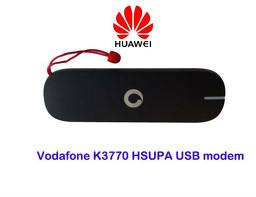
What Happens ?
when
you stick your Vodafone USB into your labtop Usb Port it won't load
setup files automatically, and when you attempt to run the setup by
yourself manually the setup status rolls back .
Solution :
-
The K3770 USB model requires wireless dependencies (Wireless Zero
Configuration & DHCP Client & DNS Client) and those must be
enabled, how ?!!
see photos ....
 |
| Navigate to Administrative Tools => Services |
 |
| Enable Both (DHCP - DNS) Clients and set them to run as automatic |
 | |
|
Restart your laptop
or PC and then Navigate to USB drive and run The (setup_vmb_lite.exe)
file manually ... and congratulations ....
Problem 2 - Couldn't Find WI-FI (i don't really remember the exact error)
-
you should be seeing a message after installation completed and couple
of file are needed to run the software probably , you could find those
files here :
after downloading and installing both files - restart and (ISA) you won't be facing any further issues ...
if you have any Question Please Contact me by Comments .....
Problem 3 - The K3770 software is installed but not connecting
- you see the USB in the device section in the software but not incoming connections.
that means you don't have enough credits, or anyway it is not the USB problem, it is the SIM problem, just contact your Provider, call Vodafone Tech Support from Egypt 2828 and press (11111) when the operator asks .
Problem 4 - The K3770 software is installed but still no device .
- you open the device section and find out that there is a draw of USB stick but the 'Enable - Button' is not marked or ticked .
that means the software passed the OS but the USB Stick did not, in more plain English, it means that the software of the K3770 did not recognized the K3770 USB stick and expecting another one ...
the solution is Hard and tricky ... OK !?
you will need another USB Stick model (K3765) For 2 reasons ...
1st - we will need to try it
2nd - we need the software inside of it version (VMC Lite 9.4.6.20529) but you can always download it from here .
Anyway --
1) End The software (Ctrl+Alt+Del) => Process => MobileBroadband => right click => End Task
2) Uninstall the current software (Add/Remove Panel) and from (C:\Program Files) as well ...
3) Remove\Uninstall the Vodafone Broadband Device installation from Device Manager specially the (Modem - Vodafone) if found
4) Restart your machine (PC\Lap Top)
5) you should not be seeing any request from the Machine ...
6) If you've the USB K3765 then insert it to the USB Port and install the software ,or else just install the software you downloaded, you can also take a copy of the software from within the K3765 and install it separately .
7) anyway after the installation is complete with the K2765 usb - try it ... if it is working the remove it and stick the k3770 and go to device section in the Vodafone software and mark it as Default .
8) if you just downloaded the software or copied it from any other place without the k3765 usb stick, after installing the Software insert your K3770 into the usb, it should be working and enabled ...
9) if not .. contact me here by comments i will walk you through the installation until is done (ISA) ..
For more Computer solutions please Google me (Evry1falls - Your Issues)
(P.S) if you can not see the download link of the K3765 software, that because maybe I'm still uploading it .

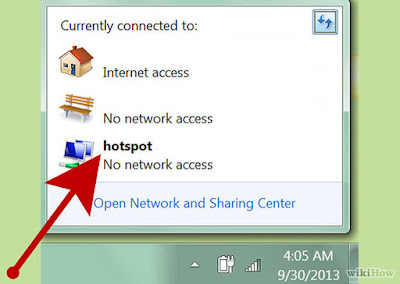
my k3770 vodafone but unlocked is working on my pc on win 7 32bit, i bought new laptop yesterday on win 7 32bit too, installed the usb modem software which is 10.2.102.30707 ,, the modem is detected and the sim is detected too,, and connected but no data transmission,, it shows 0 kb at all,, no internet accessibilty at all although it shows connected,, the signal seen on the lower right corner of the screen beside the clock has this mark "!" on it,, what's up
ReplyDeleteYou need to contact your ISP
DeleteI did it :-) ,, i removed the existing software, removed all drivers, restart laptop, downloaded and installed the latest version 10.3.405.45220 , restart, connected my k3770 modem, AND yeah it worked without the exclamation mark :-)
ReplyDeleteCongratulations
DeleteNice one
ReplyDeleteNice post dear. Please share latest version of Vodafone Mobile Broadband setup. waiting for your next post. Happy Blogging :)
ReplyDeleteNice post dear. Please share latest version of Vodafone Mobile Broadband setup. waiting for your next post. Happy Blogging :)
ReplyDeleteNice post dear. Please share latest version of Vodafone Mobile Broadband setup. waiting for your next post. Happy Blogging :)
ReplyDelete
ReplyDeleteinteresting blog. It would be great if you can provide more details about it. Thanks you
HP Officejet Pro 8720 Install
I am really impressed along with your writing skills and also with the format on your blog.
ReplyDeleteHP Envy 5548 Printer Installation Support
Really its very useful information that you have shared and thanks for sharing the information with us.
ReplyDelete123 HP Envy 5548 Setup